

WordPress Websites for Photographers: Themes, Plugins & SEO
Key Takeaways
- WordPress can work well for photographers when the site uses a lightweight theme, optimized images, reliable gallery or proofing tools, and clear SEO basics.
- Ensure mobile responsiveness and fast loading times for good user experience; test themes on different devices and use tools like Google PageSpeed Insights.
- Optimize images with plugins like Smush and improve site speed using WP Rocket; these are crucial for photography websites on WordPress.
- Utilize Yoast SEO for better search visibility; it helps with technical setup, optimizing keywords, and improving meta descriptions.
- Select hosting that supports speed and security; prioritize providers that cater specifically to WordPress to ensure optimal performance.
Quick answer: WordPress can be a good platform for photographers who want control over portfolio presentation, blogging, SEO, forms, galleries, ecommerce, or booking integrations. The trade-off is maintenance: themes, plugins, hosting, backups, security, and performance all need ongoing attention.
At Kelly Tareski Photography, we’ve built countless photography websites on WordPress, and we know what separates a basic site from one that converts clients. The right combination of themes, plugins, and technical setup makes all the difference in how your portfolio performs.
Choosing Themes Built for Photography
Choose a theme for layout, typography, responsive behavior, and visual presentation rather than locking critical business functions into the theme itself. WordPress’s own theme documentation recommends keeping site-critical functionality separate from presentation, with plugins handling features that should survive a future theme change. Before choosing any photography theme, check its current maintenance status, compatibility with your WordPress version, accessibility, mobile behavior, performance, and how easily you can change themes later.
Grid Layouts Create Professional Visual Flow
Grid layouts dominate professional photography sites for good reason-they display images consistently and guide viewers through your work logically. Coastline and True North both feature grid-based homepages with portfolio sections that use consistent aspect ratios, which matters because mismatched image dimensions break the visual flow and feel unprofessional. When you evaluate a theme, open the live demo and watch how the gallery handles images of different sizes; if the grid shifts or images stretch, move on. Responsive design isn’t optional anymore-mobile browsing accounts for the majority of photography site visits.
Test every theme on an iPhone and tablet before committing, not just on desktop. Themes like Border and Lense include fullscreen sliders and dedicated image display modes that work well for featured work, but they require discipline in image curation; a 50-image slider kills page speed. Pile and Inspiro support WPBakery for custom layouts, which offers flexibility but introduces performance risk if you load heavy elements without restraint.
Mobile Responsiveness Determines Real Performance
Performance matters because photography sites are image-heavy. Test real pages on mobile, not just a theme demo, and pay attention to image dimensions, compression, lazy loading, caching, fonts, scripts, and third-party embeds. PageSpeed Insights can help identify problems, but one score should not be treated as a universal pass-fail threshold. The useful question is whether important pages load and respond well for real visitors on common devices and connections.
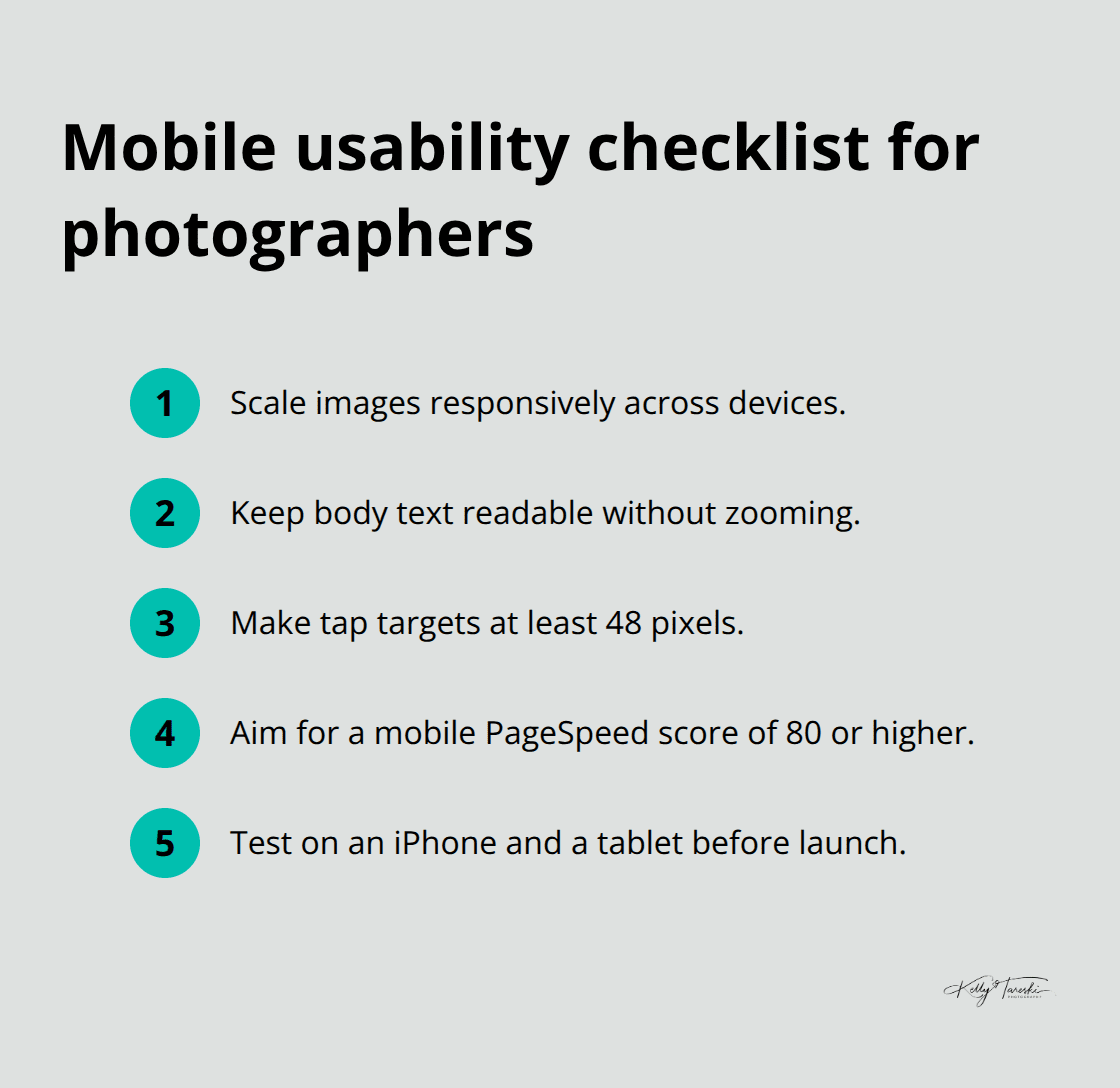
Demo imports can speed up setup, but they can also bring extra layouts, scripts, images, or plugins you do not need. Build the smallest site that supports your actual client journey, then add features deliberately. Visual polish, accessibility, mobile usability, search visibility, and performance should be evaluated together rather than reduced to one theme brand or one load-time rule.
Speed Testing Reveals What Visitors Actually Experience
Page speed directly impacts whether potential clients stay on your site or leave before seeing your work. Load your theme’s demo on a slow 4G connection (use Chrome DevTools to simulate this) and watch what happens-if images take three seconds to appear, your real visitors on slower connections will abandon the page. Optimize images before uploading them to WordPress; oversized files destroy performance regardless of how fast your theme is. Themes like OceanWP and SeedProd include built-in optimization features, but you still need to compress images before they reach your server. The next chapter covers the specific plugins and tools that accelerate your site, but theme selection sets the foundation-choose a theme that respects performance from the start, and you’ll spend less time fighting speed issues later.
Critical Plugins and Tools for WordPress Photographer Sites
SEO Optimization Drives Discovery
Yoast SEO deserves your attention because photography sites rank poorly without proper technical setup, and Yoast handles the mechanics photographers ignore. The plugin generates XML sitemaps automatically, adds schema markup for image galleries, and writes meta descriptions that appear in search results. A photographer searching for senior portrait studios in your city sees your meta description first, and weak descriptions drive clicks to competitors instead. Yoast integrates directly into the block editor and WooCommerce product pages, so you optimize as you create rather than retrofitting SEO later. Set your focus keyword to something specific like “senior portraits Spokane” instead of generic phrases, and Yoast guides you toward readability and keyword placement that doesn’t feel forced.
Image Optimization Transforms Site Speed
Image optimization through Smush changes everything for photography sites because oversized files tank your speed score regardless of theme quality. Smush converts images to WebP and AVIF formats automatically, compresses without visible quality loss, and handles external directories like Amazon S3 if you store backups offsite. The plugin processes images in the background so your site keeps running while optimization happens, and you get no monthly limits-unlimited optimization for a one-time cost beats subscription models that penalize you for growing your portfolio.
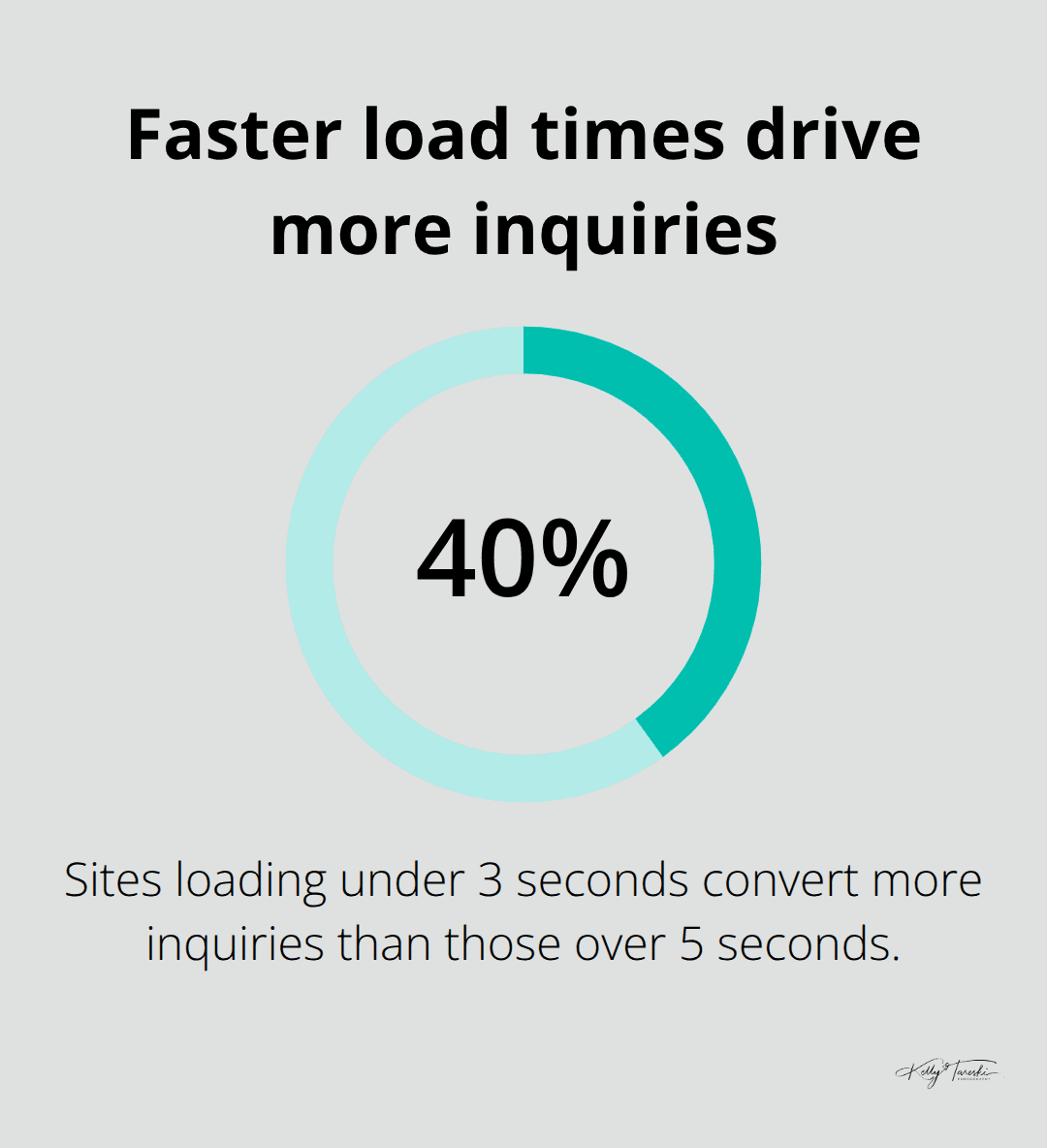
WP Rocket accelerates page loads through caching, CSS minification, and lazy loading, which means visitors see images appear as they scroll instead of waiting for the entire page to load. Test your site speed using Google PageSpeed Insights; faster sites convert more inquiries into bookings.
E-commerce and Booking Tools Build Revenue
E-commerce for print sales requires ShutterPress Gallery paired with WooCommerce because this combination handles both portfolio display and shop functionality without forcing you to choose between beautiful galleries and reliable payments. ShutterPress supports grid, justified, and masonry layouts with a built-in lightbox, then converts those galleries into shops where clients buy prints directly. WooCommerce powers the transaction side with access to 100+ payment gateways including Stripe, PayPal, and Square, plus automated tax calculations and shipping label generation.
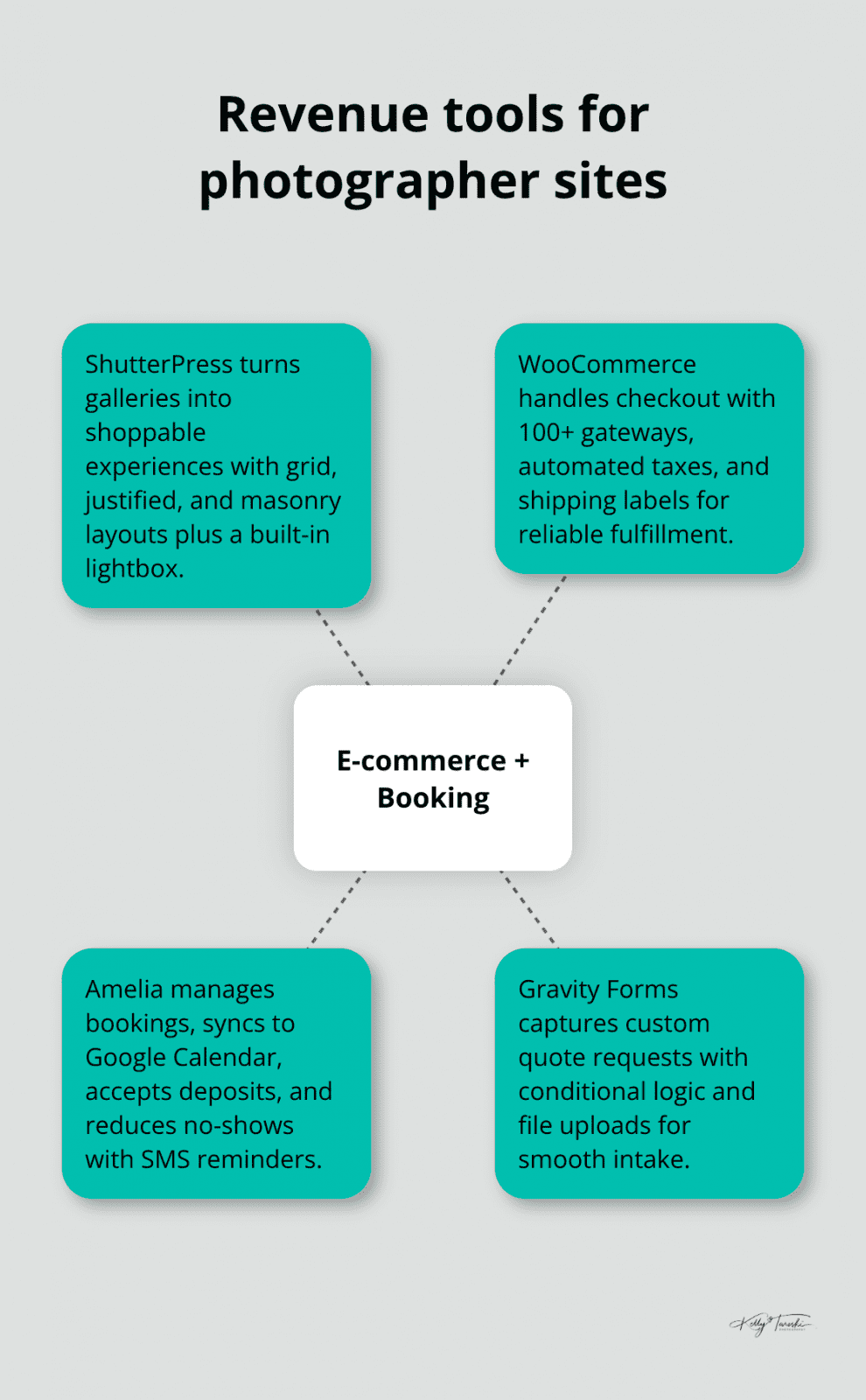
Amelia adds booking functionality that syncs with Google Calendar and accepts deposits, which matters if you offer sessions for senior portraits or family shoots; automated SMS reminders reduce no-shows by keeping clients engaged before their session date. Gravity Forms builds custom quote forms with conditional logic and file uploads, so clients submit session requests with specific requirements, and the form data flows into your workflow without manual data entry.
Automation and Protection Secure Your Business
Uncanny Automator connects your tools together-a purchase through WooCommerce can trigger an email to your CRM, update a Google Sheet for order tracking, or grant a client access to a private gallery. This automation eliminates repetitive tasks and keeps your business running efficiently as volume increases. Wordfence Security protects against attacks with a firewall and malware scanner, while UpdraftPlus backs up your entire site to cloud storage automatically, so you recover from disasters in hours instead of days. Start with ShutterPress and WooCommerce to establish your gallery and shop, then layer in Amelia for bookings and Smush for optimization as your site grows-this approach keeps complexity manageable while you learn what your business actually needs. The technical foundation matters less than the execution, and your next decision point involves selecting hosting that supports these plugins without performance penalties.
Building WordPress Sites That Stay Fast and Secure
Hosting affects performance, backups, uptime, security tooling, support, and how easily you can stage or restore a site. Instead of relying on one RAM number, storage type, or hosting brand, compare the requirements of your current WordPress version, expected traffic, image library, ecommerce or booking features, backup needs, and the host’s support for staging and recovery. Review the host’s current documentation because platform requirements and plans change over time.
Backups Protect Your Portfolio and Client Data
Maintain backups that are separate from the live site and verify that you know how restoration works before an emergency. Your host, a WordPress backup plugin, or another managed service may provide the right workflow depending on the site. The important part is having a documented, tested recovery path for files, database content, galleries, forms, and business data.
Security Breaches Demand Active Defense
WordPress security should be layered rather than tied to one mandatory plugin. Keep core, themes, and plugins maintained; use strong authentication; limit unnecessary plugins and administrator accounts; maintain tested backups; and use staging when an update could affect galleries, forms, ecommerce, or bookings. WordPress provides current documentation for plugin management and site maintenance, and your host may provide additional security, caching, backup, or firewall features. Test important client workflows after meaningful updates.
Performance Optimization Accelerates Visitor Experience
WP Rocket caches pages so repeat visitors see instant load times, handles CSS and JavaScript minification to reduce file sizes, and integrates with CDN services like Cloudflare to serve images from servers geographically closer to your visitors. A lean plugin stack of eight to twelve carefully chosen tools outperforms a bloated setup with thirty plugins-every additional plugin increases attack surface and conflicts. Real WordPress photography sites show what actually works: Yeti Motion, Cinimage, and The D’s all run on WordPress with clean galleries, fast checkout, and professional booking systems that convert browsers into paying clients.
Plugin Management Determines Long-Term Success
These photographers succeeded because they invested in proper hosting, secured their sites with standard practices, and chose plugins that work together rather than fighting for resources. Your next move involves auditing which plugins you truly need versus which ones you installed on impulse and forgot about-removing unused plugins cuts your vulnerability surface and improves speed immediately.
Final Thoughts
Professional photography websites on WordPress succeed when you select a theme built for photographers, install plugins that work together, and choose hosting that prioritizes speed and security. Flothemes handles portfolio display and print sales without forcing you to assemble separate tools, while Sydney and Astra offer flexibility if you invest setup time. Your hosting foundation determines whether these tools perform or struggle, so invest in providers that understand WordPress rather than treating it as just another platform.
Start by selecting your theme and hosting simultaneously, then install Smush and WP Rocket before adding portfolio content. This sequence prevents the common mistake of building a beautiful site that loads slowly, then scrambling to optimize afterward. Add Yoast SEO as you create your first gallery pages so search optimization becomes habit rather than an afterthought, and test everything on mobile before going live since your potential clients browse on phones.
Photography websites on WordPress require consistent maintenance-update WordPress core, themes, and plugins within one week of release, test updates on staging first, and back up your site weekly to cloud storage. Remove plugins you stopped using, monitor your site speed monthly using Google PageSpeed Insights, and review your security settings quarterly (these practices take two hours monthly and prevent costly disasters). If building and maintaining a WordPress photography site feels overwhelming, Kelly Tareski Photography in Spokane, Washington demonstrates what a professional photography website should accomplish, with over 20 years of experience in senior portraits, family photography, boudoir, maternity, branding, and commercial work.
WordPress for Photographers FAQ
Is WordPress good for photographers?
Yes, WordPress can be a strong option when a photographer wants control over content, SEO, galleries, and site structure. The quality of the result depends on the theme, hosting, image optimization, plugins, and how carefully the site is maintained.
What should a photography website include?
At minimum, include a focused portfolio, clear service information, an About section, contact path, location or service-area context, useful written content, and fast mobile-friendly pages. Client galleries or proofing tools can be added when they fit the business workflow.
For more practical business and technique articles, browse my photography education resources.
Education Most Searched Articles
- Kelly Tareski Photography Homepage
- How to Choose Background Colors to Complement Skin Tones
- Choosing the Best Lens for Stunning Senior Portraits
- 5 Tips Using the Nikon Z7ii Camera for Portrait Photography
- Exploring Spokane Through a Lens: Must-Visit Photo Locations
- How to Choose the Best Lenses for Senior Portraits
- When to Use a Neutral Background in Photography
- Top Posing Ideas for Solo Portraits: Looking Confident and Natural
- The Economy and Photography
- How the Economy Impacts Photography
- How to Weather Economic Slumps as a Photographer
- Finding Creative Ways to Promote Your Photography on a Budget
- Free and Low-Cost Resources for Photographers